
[ILL Requests] As of October 2017, Reading Centres can now submit their requests to the Public Libraries Branch (BVIL) as logged in patrons. This allows more account permissions than the previous guest requesting method - such as cancelling requests, requesting renewals, duplicating requests, and updating passwords! Guest requesting is no longer available and please contact us if you are no longer able to login.
Please Note that requesting is based on the 2021 BC ILL Code (PDF) from Public Libraries Branch and Reading Centres are responsible for all borrowed materials and replacement costs for lost/damaged items.
 |
Watch a refresher tutorial on how to search & submit your requests as a Reading Centre patron. | Watch Video [sound ; 10m:26s ; MP4] |
Search & Create Requests:
So how do I now submit my requests if I'm a Reading Centre? Please follow the instructions below for submitting and tracking your ILLs!
- Go to the BVIL Illume: https://bcuc.agshareit.com/home?cid=bcuc&lid=bvil
- LOGIN with your Patron account. Please contact us if you've forgotten your account or password.
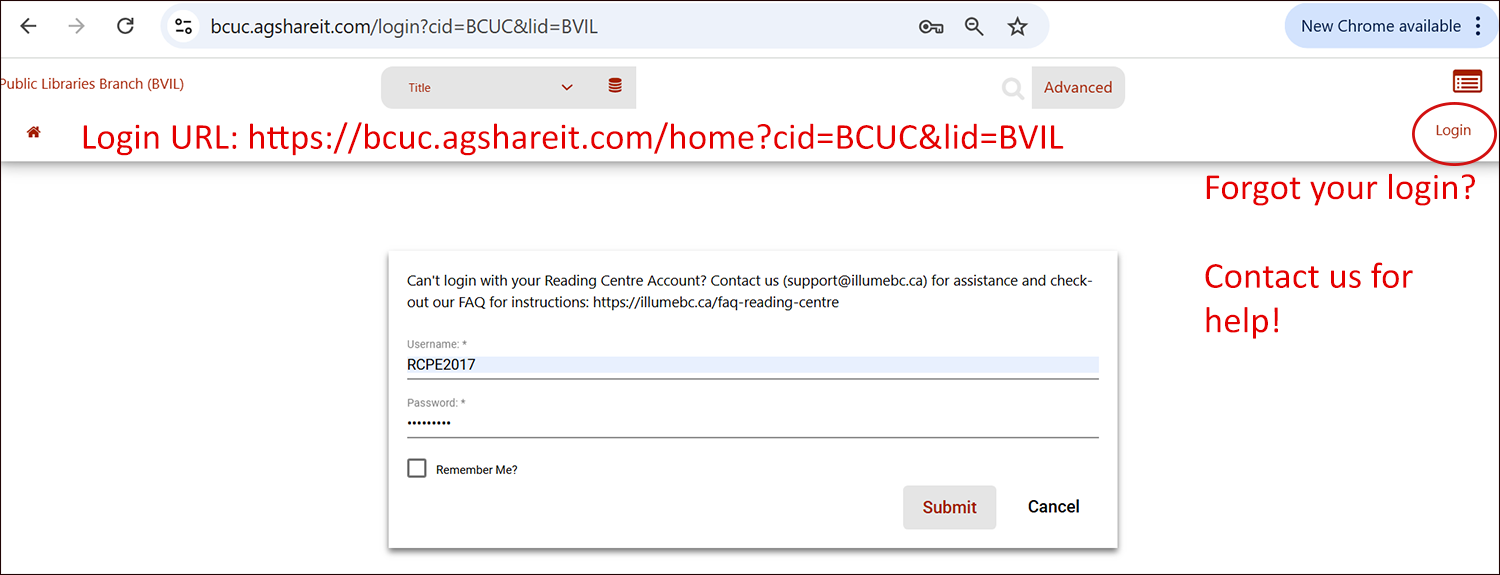
- Search for the item you wish to request. Check-out our Tips for Searching guide or the refresher tutorial above if necessary.
- Once you have found the Title or record you'd like to request you can choose or click on the "Request This Item" button to bring up the request form.
- Complete your request form and hit Submit. If you are logged in correctly your account details including your Reading Centre code (list of codes below) and Pickup Location will already be pre-filled.
When logged in you should only have to add your SHIP TO address then click Submit! You can also add your RC Request Number (optional) and update your contact name (if the displayed name is incorrect) if desired. Please don't update your RC Code within a request.
Additional Tips:
- View Active (In Progress) and Complete Requests: To view your current requests, make sure you're logged in according to Step 2 above. New requests may take some time to show-up in your interface.
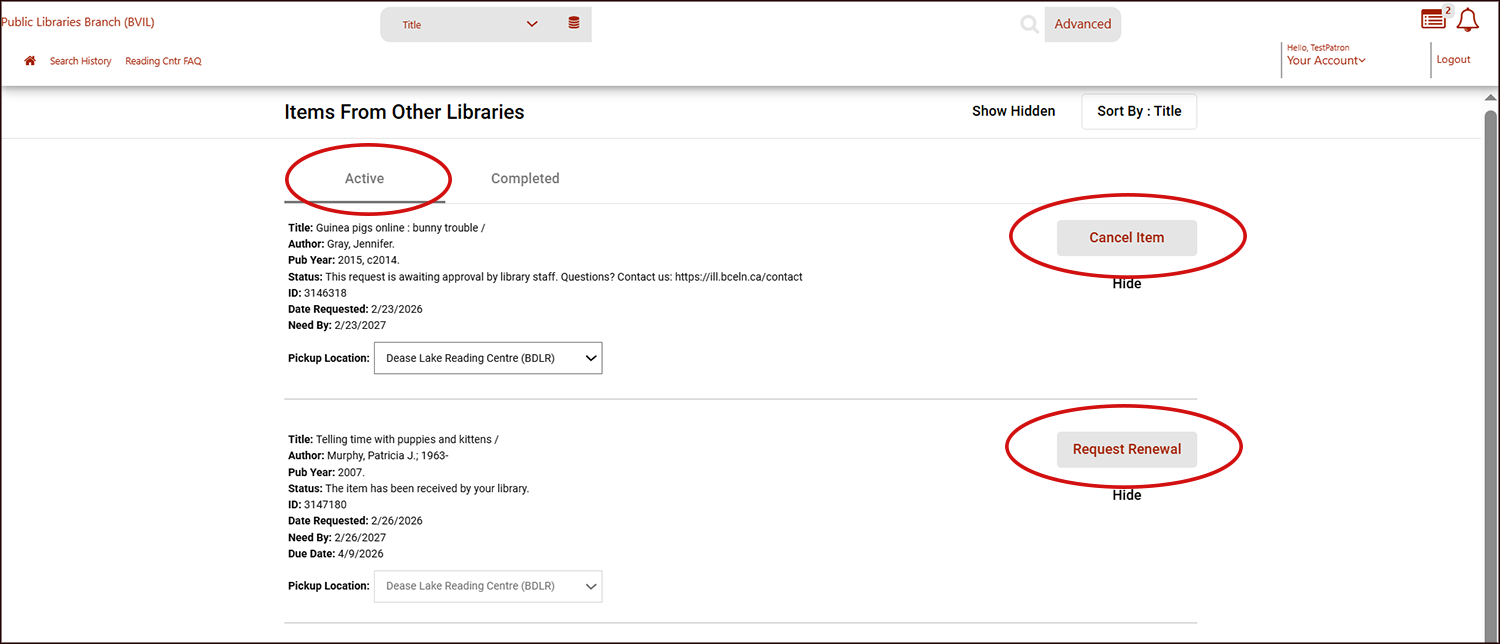
Then click your reading centre staff display name in the top right-hand corner, eg. "Janet", and choose Your Account > Your Items > Items from Other Libraries. There are 2 tabs available for your Active (or In Progress) and Completed requests (click "Show hidden requests" if necessary).
- Cancel Request: As a logged in patron you can now request a cancellation via the "Cancel Item" option next to any eligible request. Your request will not be cancelled until confirmed by BVIL staff. Cancel item option not available anymore? Contact us for assistance instead!
- Request Renewal: Under your Active tab, the option to request a Renewal will also be active if available. Please note that many Lenders do NOT allow renewals of their items and we may need to manually contact them via email to make the request.
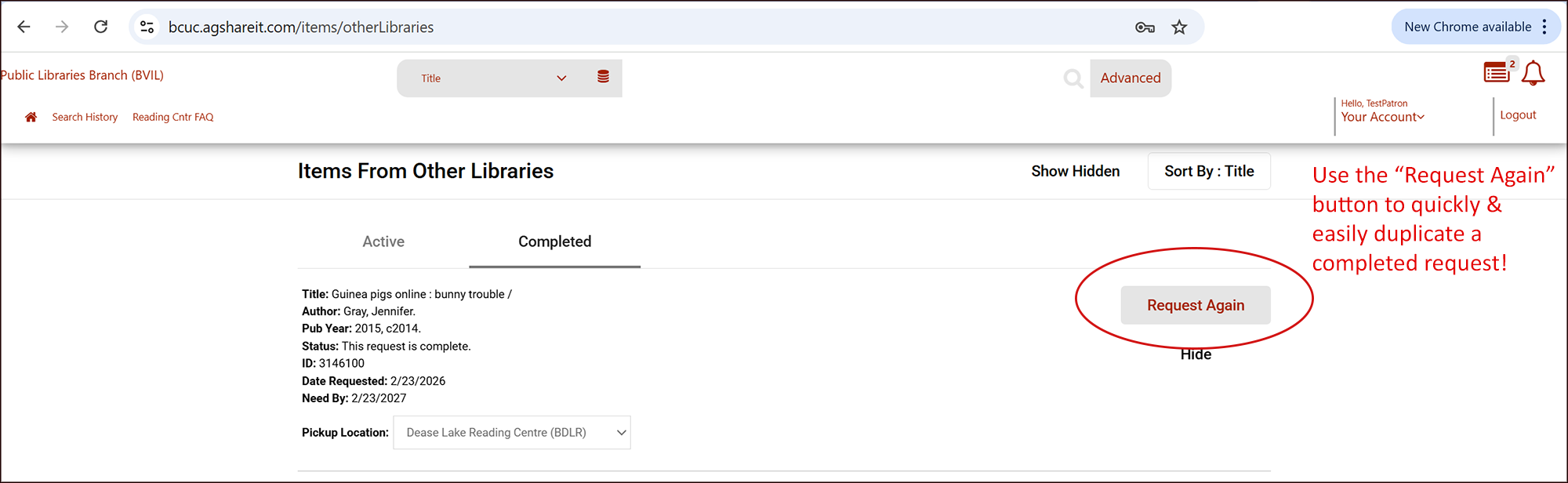
- Duplicate Request: You can now also re-request or re-create a Complete request by locating it under the Complete tab and clicking the "Request Again" button. More information in our FAQ here.
- Multiple Copies: Want multiple copies of the same item for a Book Club? Just let us know in the Ship To notes when you're creating multiple requests. If you have a large number (4 or more) multiple requests to create, please contact us directly instead with the item information and we will use the Staff Multi-Copy function to automatically create multiples for you.
- Expiry/Need By Date: You can also update your "Need By" date using the calendar - please beware this date calendar updates the live details of the request immediately and if you select a date that's too soon it will expire your request before it can be received/shipped (minimum 35 days or 5 weeks can be chosen). We recommend you leave the date as is and add a note in your Ship To details instead.
- Want to change your Password? Use our FAQ or the video tutorial above. If you forget your password for your new patron account it can now be reset -- please contact us to request a new password.
Have any questions or concerns? Please contact us directly.
- Dease Lake: RCDL
- East Shore: RCEA
- New Denver: RCNE
- Pender Harbour: RCPE
- Riondel: RCRI
- Telkwa: RCTE